It's a Tuesday afternoon, and the clutter on your desk is a familiar sight: scattered notebooks, a half-drunk coffee cup, and a monitor displaying a jumble of tabs. Slack notifications ping relentlessly, each one breaking your focus just as you start to dive into the task.
This constant task-switching creates a cycle of distraction that drains your energy, especially as the afternoon dip approaches. You realize that without a clear plan to manage your focus, it’s easy to lose track of what needs to be done first. A muted notification window could help, but it’s the absence of a prioritized task list that truly hampers your workflow. Rewriting the top three tasks on your calendar block might provide the clarity needed to navigate this chaos, but that step often gets overlooked amidst the noise of incoming messages.
The Routine That Should Work
On your cluttered desk, a calendar block sits open to the week ahead, but it’s filled with vague labels instead of specific tasks. The energy dip in the afternoon makes it even harder to resist the distractions. You know that prioritizing your tasks could help, yet the chaotic environment makes it difficult to see what’s most important.
Place this list prominently on your desk or even on a sticky note attached to your monitor. This simple act serves as a visual anchor, reminding you of the priority items. As you prepare to dive into your work session, mute your notifications to eliminate the constant pinging that disrupts your focus. The clarity of having a defined list allows you to navigate through your tasks with purpose, transforming the cluttered chaos into a structured workflow. However, if you neglect to check off the tasks as you complete them, the sense of accomplishment fades, leaving you vulnerable to the same distractions that once derailed your focus.
Where the Focus Breaks First
Notifications from Slack or email often serve as the first crack in your concentration during a busy work session. Each ping pulls your attention away, making it easy to forget what you were working on.
As you sit down to tackle your top three tasks for the day, the clutter on your screen becomes overwhelming. You might have a calendar block set for focused work, but the moment you see an email notification, the mental switch flips. Instead of sticking to your plan, you find yourself switching tabs, checking messages, and losing track of your priorities. This constant task-switching leads to fragmented focus, and soon enough, the original task feels lost in the noise.
One way to mitigate this is to create a physical reminder of your priorities. Place a sticky note on the edge of your monitor listing your top three tasks. This visual cue can help you resist the urge to check notifications. Before you dive into your work, take a moment to mute all notifications on your devices. This small action can significantly reduce interruptions, allowing you to maintain focus on the task at hand. If you forget to do this, the likelihood of drifting back into Slack or email increases, pulling you further away from your goals.
Ultimately, the friction lies in the combination of a cluttered digital workspace and the distractions from notifications. Even with the best intentions, without a clear visual anchor and a muted notification window, your attention will continue to break at the first sign of distraction.
Why the Drift Happens Again and Again
During a typical weekday, your desktop monitor edge becomes a battleground for attention. Email notifications pop up incessantly, each one demanding a split-second decision: check now or stay focused? This cycle of task-switching creates a cluttered mental workspace, making it nearly impossible to concentrate on your top priorities.
Inconsistent task prioritization compounds this issue. Without a clear visual anchor, like a sticky note listing your top three tasks, confusion sets in about what needs immediate attention. As you toggle between tools and tabs, the cognitive overload becomes palpable. You might think, "I'll just check this one email," but soon find yourself buried in a thread that distracts from your workflow. Mute notifications before starting your work session to create a more focused environment. This small adjustment can help reduce the temptation to check, but if you skip it, the hidden cause of your drift—those persistent notifications—will likely lead you back into the cycle of distraction. A Simple Correction for Better Focus During a typical weekday, your desktop monitor might be cluttered with multiple tabs, reminders, and the ever-present Slack notifications.
- Mute all notifications during study blocks to eliminate distractions.
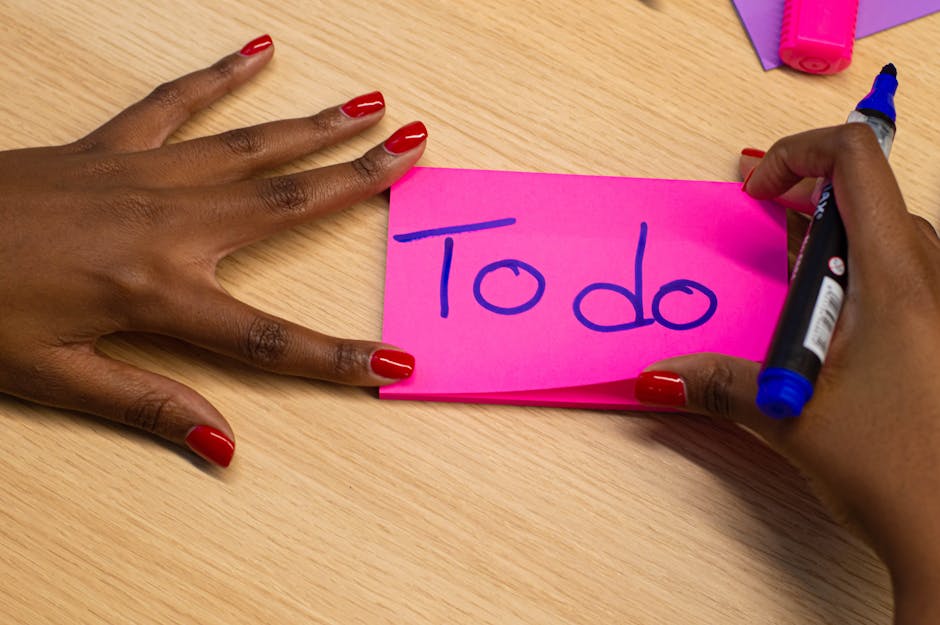
- Rewrite your top three tasks on a sticky note and place it on the monitor's edge for a clear visual focus.
- Set a timer for focused work sessions, adjusting the duration based on your energy levels.
By muting notifications first, you create a distraction-free zone that allows you to concentrate on the tasks at hand. As you place that sticky note on the monitor, you’ll have a tangible reminder of what needs your attention, reducing the chances of drifting back to an open email thread. This small correction, when executed at the start of your work session, sets the tone for a more productive block of time, making it easier to transition into focused work without the interruptions that typically derail your progress.
A Quick Check That Prevents More Drift
If this pattern keeps repeating, Managing Energy Not Time extends the idea without leaving the niche.
During your mid-afternoon work session, it's easy to let your attention slip as Slack notifications pop up on your screen. Before diving into your next task, take a moment to mute those notifications. This simple action creates a focused environment, allowing you to concentrate on your priorities without the constant pull of incoming messages.
Next, grab a sticky note and rewrite your top three tasks for the day. Place this note on the edge of your monitor, ensuring it's the first thing you see when you look up. This visual cue not only reminds you of what needs attention but also reduces the temptation to switch back to your email, where distractions can quickly multiply. By establishing this small checkpoint at the beginning of your work session, you mitigate the risk of drifting into less important tasks, maintaining your workflow even in a cluttered digital space.
What Changes Once That Fix Repeats
This same friction shows up again in Focus Without Burnout, especially when the day tightens unexpectedly.
After muting notifications and placing a sticky note with your top three tasks on the edge of your monitor, a noticeable shift occurs in your work session. The clutter of your desktop feels less overwhelming, and your focus sharpens as you dive into the first task. Instead of splitting attention between Slack messages and your project, you can now engage fully with the work at hand, leading to a more productive block of time.
With fewer distractions, it becomes easier to maintain momentum. You can even set a timer for 25 minutes, using that focused period to tackle the most challenging task first. This approach not only helps in finishing your work but also reduces the urge to check your email or other notifications, which can easily derail your progress. As you repeat this practice, the workflow becomes smoother, and the clutter of your digital space feels more manageable.
As you settle into your afternoon work session, the clutter on your desktop can feel suffocating. By muting those notifications and placing a sticky note with your top three tasks right at the edge of your monitor, you create a visual anchor that directs your focus. This small adjustment can significantly reduce the temptation to switch tasks every time a new notification pops up.
When you prioritize your tasks visibly, you’re more likely to engage deeply with the first item on your list. Instead of allowing distractions to pull your attention away, you can commit to a focused work block. Consider setting a timer for 25 minutes, dedicating that time solely to the task at hand. This method not only enhances your ability to concentrate but also builds a habit of resisting the urge to check Slack or email until your timer goes off. By consistently applying this approach, you’ll find that your studying with limited time becomes increasingly manageable, even amidst a cluttered setup.